
Best AI Live Captioning and Translation Software for Events in 2026: A Source-Backed Buyer's Guide
On this pageSection guide
If you are choosing live captioning or live translation for an event, the fastest way to a good decision is to answer one question first: is your audience inside a meeting, or inside a room? Everything else follows from that. A remote audience already authenticated in Zoom, Microsoft Teams, or Google Meet is usually best served by the translation features those platforms already include, and buying anything else is waste. An audience holding phones in a conference hall needs something a meeting platform was never designed to do.
This guide covers the four categories of product competing for that budget, what each is genuinely good at, where each runs out, and how to compare quotes that are not built the same way. Every competitor statement is attributed to that vendor's own current documentation and dated. Where the public information does not answer a question, the guide says so instead of filling the gap with an assumption.
First, get the words right
Four terms are used loosely in this market and mean genuinely different things. Confusing them is the fastest route to buying the wrong product.
Captions are same-language text of what is being said, shown live. They serve deaf and hard-of-hearing attendees, noisy rooms, and anyone who follows a second language more easily in writing than by ear. Translated captions or subtitles render that text in another language. Interpretation is spoken rendering into another language, historically by a qualified human in a booth. AI translated audio is synthesized speech in the target language, which is a different mechanism from interpretation even when it serves a similar purpose.
In professional practice, translation refers to written content and interpretation to spoken content. Vendor marketing frequently uses both loosely. When a quote arrives, confirm which of the four each line item actually delivers — the cost difference between translated captions and spoken interpretation is substantial, and so is the difference in what your audience experiences.
The five questions that decide your shortlist
Answer these before looking at any product page. Between them they eliminate more unsuitable options than any feature matrix, because they describe the shape of your event rather than the shape of a vendor's marketing.
1. Where is the audience physically? In a meeting on a platform, in a physical room, watching a live stream, or a mixture. This single answer usually determines the category.
2. Do they need to read or to listen? Translated captions and translated audio are different products with very different coverage. Ask about your real audience, not the average one — a delegation that reads the local language comfortably has a different answer from one that does not.
3. Which exact language pairs, in which direction? Including regional variants. Several products support languages as targets but not as sources, and at least one documents that it will not translate between dialects of the same language.
4. Does a human interpreter have to be involved? If yes, does the vendor supply them or do you? This distinction separates two entire categories and is frequently discovered too late.
5. What do you already pay for? The marginal cost of a feature bundled into a licence you already hold is close to zero. Ask IT before you ask a salesperson.
The four categories, and why the distinction matters
Almost every product sold as “AI live captioning” belongs to one of four categories. They are priced differently, they assume different things about where your audience is standing, and they are genuinely difficult to compare line by line because they are not answering the same question. Working out which category you need eliminates more wrong options than any feature checklist.
This is where most organizations should start, and a great many should stop. Zoom, Microsoft, and Google all ship translation features that are bundled into tiers many companies already pay for. Microsoft documents live translated captions as part of Teams Premium and Microsoft 365 Copilot, and states that if the meeting organizer holds one of those licences, all meeting participants can use translated captions and transcription without a licence of their own. That single rule makes Teams dramatically cheaper for large internal audiences than a per-attendee reading suggests.
Zoom documents that translated captioning requires the host to be on Business Plus, Enterprise Essentials, Enterprise Plus, or Enterprise Premier, or to hold the Zoom Translated Captions add-on. Its article lists 36 supported translated-caption languages plus Greek, Norwegian, and Welsh as target-only options, and states that dialects of one another are not currently supported for translation, giving French (France) and French (Canada) as its own example. Google documents 100+ languages for translated captions in Meet across a named list of Workspace editions.
The category's hard boundary is spoken output. Teams' live translated captions are text. Google Meet's Speech translation does produce translated audio — Google describes it as translating speech in real time in a voice like yours — but documents it only between English and five languages, with a 90-minute limit and no availability in live streams or recordings. Zoom's route to translated audio is language interpretation, where a host designates up to 20 participants as interpreters; Zoom supplies the channels, not the interpreters.
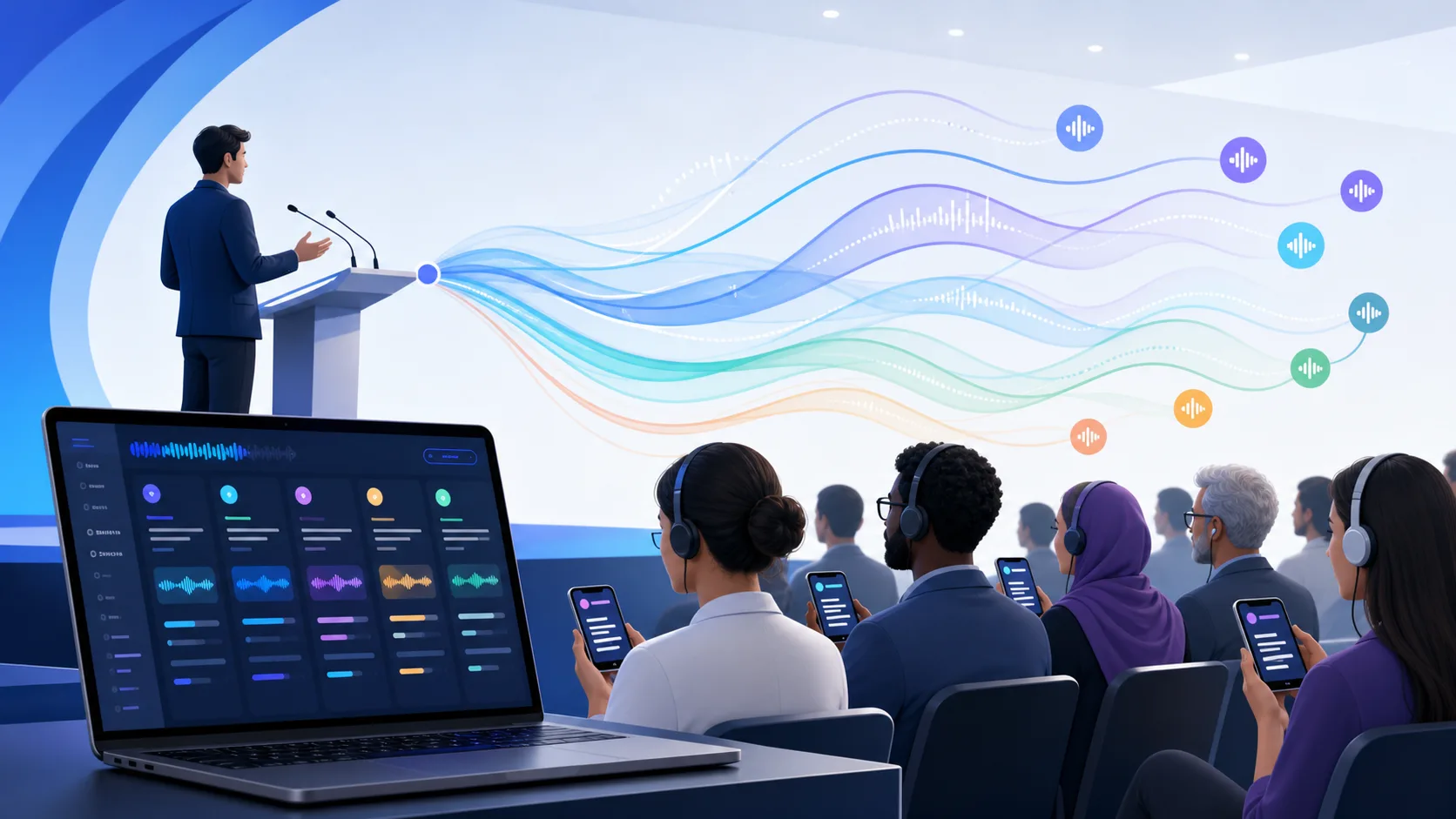
This category exists because a meeting platform assumes the listener is a participant. An event platform assumes the listener is a person holding a phone in a hall. Attendees open a link or scan a QR code, choose a language, and listen or read — with no account, no licence, and no seat in a call. For a 300-person conference that difference is not cosmetic: the alternative is asking 300 people to join a meeting on venue Wi-Fi purely to read text.
The two platforms differ most in commercial shape. Wordly's public pricing page is built around annual usage — Starter at 10 hours, Pro 25, Pro+ 50, Corporate 100, Corporate+ 250, and Enterprise 500 or more — with hours usable across sessions for up to 12 months, all supported languages included for one fixed price, and translation, captions, transcripts, and summaries bundled together. It names Zoom, Teams, Meet, WebEx, and Cvent among its integrations and publishes SOC 2 Type II and ISO 27001 among its enterprise signals. It does not display package dollar amounts on that page.
Pikka Speech prices the event rather than the year: $548 per AI-audio target language for a room of up to 14 hours, $398 for a text-only target language, $250 for a live caption display, 25 listeners included, then $2 per additional audio listener or $1 per text listener. Each target-language channel can run as AI, human-only, or hybrid coverage. Its production catalog holds 99 source-language codes and 142 listener language or dialect codes, combining into 13,635 directed language pairs after the same-language and Chinese-dialect compatibility exclusions. It does not source interpreters, and this guide makes no ISO 27001 claim for it.
The choice inside this category is mostly about utilization certainty. A sparse or project-based calendar suits an event pass; a dense, centrally-managed annual programme suits an hour pool. The full Pikka Speech vs Wordly comparison works through that trade-off with both vendors' own sources.
The third category sells the people as well as the technology. Interprefy publicly describes four product families — remote simultaneous interpretation delivered by professional interpreters, AI speech translation, live captions and subtitles, and a Media Hub covering event recordings, transcripts, and summaries — and states that a plan supplies a bundle of hours usable flexibly across the platform, interpretation, captions, AI speech translation, and professional services.
For a buyer whose actual problem is “I need three qualified conference interpreters in nine days,” this category is the answer and no amount of pricing transparency substitutes for it. Interprefy describes access to a network of over 6,000 professional interpreters covering spoken and signed languages, supports interpreter hard consoles alongside virtual booths, names a long list of platform integrations, and publishes ISO 27001 operation with AES 256-bit encryption over TLS and SRTP, RBAC, 2FA, SSO, AWS hosting with optional EU data residency, and third-party penetration testing.
The commercial trade-off is visibility. Interprefy's pricing page explains its model thoroughly — custom pricing, hourly rates for shorter sessions, daily rates for event days, plans for recurring events, a lower cost per hour as volume rises, plans valid for 12 months — but publishes no dollar amounts, and states plainly that unused hours do not roll over. Both of those are material and both should be confirmed on an order form. The Pikka Speech vs Interprefy comparison covers this category in depth.
The fourth category grew out of broadcast captioning rather than events, and it shows in the best possible way for the buyers it serves. AI-Media publishes LEXI Text as an automatic captioning product with subscription and encoder options, a published language list, topic models, and its own reported accuracy figure. Its LEXI Viewer product documents AV610 HD-SDI hardware with four display modes, alongside the browser-based Ai-Live path — so it is wrong to claim the family always requires hardware.
If your requirement involves inserting regulated captions into an SDI program feed, driving venue caption displays from a production rack, or satisfying broadcast compliance obligations, this category is built for exactly that and a browser event room is not a substitute. If your requirement is translated audio for delegates holding phones, this category is more infrastructure than you need. The Pikka Speech vs AI-Media LEXI comparison separates the two workflows properly.
Category comparison at a glance
This table compares categories, not products, and every cell is a generalization that the individual comparison guides qualify properly. Use it to narrow the shortlist, then verify the specific vendor against its own current documentation.
How the pricing models actually differ
Four commercial shapes dominate this market, and comparing a price from one against a price from another without normalizing produces confident nonsense. The shapes are: bundled into a licence you already hold, purchased as an annual pool of hours, quoted per engagement, and priced per event. Each moves risk to a different party.
Bundled into a licence. Zoom, Teams, and Google Meet translation features are attached to account tiers. The marginal cost of using them is close to zero if your organization already holds the tier, and potentially very high if enabling translation means upgrading hundreds of users who only need to listen. The decisive question is not the list price of the tier — it is whether you already own it.
An annual pool of hours. Wordly publishes package sizes of 10, 25, 50, 100, 250, and 500 or more hours, usable across sessions for up to 12 months, with all supported languages included for one fixed price and volume, multi-year, nonprofit, NGO, and educational discounts advertised. Interprefy also sells bundled hours valid for 12 months with a lower cost per hour at higher volume. This shape rewards accurate forecasting and punishes optimism — Interprefy states plainly that unused hours do not roll over, and Wordly says rollover is subject to sales terms you should confirm.
Quoted per engagement. Interprefy publishes no dollar amounts at all, describing custom pricing with hourly rates for shorter sessions and daily rates for event days. This is a reasonable model for a business whose largest cost driver is people rather than software, but it means no comparison page can honestly tell you what your event will cost. Anyone who claims otherwise is guessing or quoting a stale figure.
Priced per event. Pikka Speech publishes the units: $548 per AI-audio target language for a room of up to 14 hours, $398 per text-only target language, $250 for a live caption display, 25 listeners included, then $2 per additional audio listener or $1 per text listener, with $1 added to each paid seat when video is enabled. Five AI-audio languages for 25 listeners is $2,740. Three AI-audio languages for 200 listeners is $1,994. One text-only language for 100 listeners is $473.
Watch the time unit especially closely, because this is where comparisons most often break. Pikka's target-language price covers a room of up to 14 hours. Wordly says it charges for actual time rather than rounding a 30-minute session up to an hour. Interprefy meters hours from a purchased bundle. Ask precisely how an hour is consumed: per session, per concurrent language, per interpreter, per output stream, or by another rule. An hour that multiplies by language behaves very differently from one that does not, and the difference can be several times the total.
How to read a language claim without being misled
Language counts are the most consistently misleading numbers in this category, not because vendors lie but because they count different things. Four distinct measurements circulate, and they are routinely compared as if they were interchangeable.
The arithmetic explains the apparent gulf. Eighty languages translating in both directions produces roughly 6,320 directed pairs, which is consistent with Interprefy's 6,000+ combinations claim — the two numbers describe one catalog from different angles rather than contradicting each other. A vendor advertising thousands of pairs is not necessarily broader than one advertising a hundred languages. It may be narrower.
Modality is the second trap. A language may be supported for caption output but not for spoken output, or as a target but not a source. Zoom documents Greek, Norwegian, and Welsh as target-only because they lack automated caption support as sources. Interprefy's knowledge base is more precise than its marketing pages: it states support for speech from and into speech and captions in 80 languages, lists 82 entries in its to-and-from section, then lists further languages carrying only speech recognition, captions, or speech synthesis. That article carries its own last-updated date of 7 October 2025.
Regional variants are the third. Zoom states that dialects of one another are not currently supported for translation, naming French (France) and French (Canada). For an audience in Québec, or a Latin American versus European Spanish decision, or Simplified versus Traditional Chinese conventions, this is not a technicality — audiences notice within minutes, and they experience it as the organizer not having considered them.
Evaluating accuracy without fooling yourself
Accuracy is the single most-marketed and least-comparable dimension in this category. Vendors publish figures measured on their own material with their own method. AI-Media reports 99.26% accuracy for LEXI; that is AI-Media's reported figure on AI-Media's test, not an independent verdict, and it should always be quoted as “AI-Media reports” rather than restated as fact. Most other vendors in this market publish no accuracy figure at all.
A single percentage also hides the errors that actually damage an event. Word-level accuracy treats every word equally, so a transcript that gets 99% of words right while dropping a negation, mangling a drug name, or inverting a number scores well and communicates something false. For event language access, the errors that matter are: omissions, wrong proper nouns, wrong figures, inverted negation, terminology substitutions, and delays long enough to break the connection between a slide and its explanation.
Build a rubric before you test. Score each of those categories separately on a representative sample. Include your hardest realistic conditions: a fast speaker, an accented speaker, a panel with interruptions, a quiet audience question from the back of the room, code-switching between languages mid-sentence, and the specific names and acronyms your programme will use. Do not tune one platform extensively and run the other on defaults.
Google is unusually candid about the limits of live output, and its note applies well beyond Google: real-time translations contain more errors than recorded translations, including grammatical and translation errors, unintelligible words, and unexpected accents, and translations are delayed a few seconds for completeness. That trade-off between latency and quality is inherent to the problem, not a defect of one vendor.
Accessibility, records, and what captions are not
Live captions are an access feature. They are not, by themselves, an accessibility programme, a legal accommodation, or an approved record, and treating them as any of those creates risk.
Captions are not a substitute for sign language. Signed interpretation requires qualified signers, video channels, camera framing, and sightlines or pinned video, and many deaf attendees are far better served by a signer than by text. Among the products covered here, Interprefy describes a network covering spoken and signed languages. If signed interpretation is a requirement, treat it as a hard filter rather than a feature comparison.
Nor is a live caption stream a record. Google states that translated captions only display for the parts of a conversation where the viewer was present with captions turned on — which matters at any event where people arrive throughout the day. Microsoft reserves the right to restrict transcription and translation services, with reasonable notice, to limit excessive use or fraud. Neither a raw AI transcript nor an automatic summary should be treated as an approved record without human review, and for regulated proceedings that review should be planned and budgeted rather than assumed.
Design accessibility with the people it serves. Ask deaf and hard-of-hearing attendees, limited-proficiency communities, and disability advisors what they actually need before selecting a product. Test with screen readers, zoomed text, high-contrast settings, and motor constraints. A platform that delivers the wrong modality flawlessly has still failed the requirement, and a procurement process that never asked will not discover this until the event is running.
The in-room problem almost nobody plans for
The most common practical failure in event language access has nothing to do with model quality. It is that the chosen tool assumed the listener was in a meeting, and the listener was in a hall.
Built-in platform captions render inside the meeting client, so a physically present attendee must join the call to see them. At a 300-person conference that means 300 devices pulling a meeting client over venue Wi-Fi, guest access for attendees from other organizations, audio feedback risk unless everyone mutes, a full day of battery drain, and a support queue for the people who cannot get in. The talk has become a conference call attended by people who can see the speaker.
Event-shaped products answer this with a lightweight browser page reached by link or QR code, with no account and no licence. Some also offer a shared room caption display, which frequently serves an audience better than hundreds of individual screens. Whichever you choose, the operational details decide the outcome: print a short readable URL under every QR code, put join instructions on holding slides before the first speaker, staff a help point, encourage headphones and stock spares, and test captive-portal Wi-Fi. Venue networks defeat more language deployments than any vendor's software.
There is a second in-room option worth knowing about. Venues that already own interpretation transmitters and receivers can route selected AI language channels into that existing system, so attendees use the receivers they already know and audience listening does not depend on venue Wi-Fi at all. That keeps the equipment investment alive while removing the booth requirement for AI channels.
Running a proof of concept that predicts the event
- Confirm what you already own first. Ask IT which Zoom, Teams, or Workspace tier your tenant holds and whether translation is enabled by policy. This one answer ends a large share of evaluations immediately and for free.
- Read the format-specific documentation. Meeting, webinar, town hall, and live-stream captions differ inside the same product. Microsoft documents that town hall organizers can select six languages, or ten with Premium, from over 50. Google documents that Speech translation is unavailable in live streams and recordings and carries a 90-minute limit. Neither appears in the ordinary meeting documentation.
- Use one audio path for every candidate. Same microphone, same mixer, same room, same speakers, ideally the same day. A demo on a vendor's clean studio audio predicts nothing about a reverberant ballroom.
- Test your exact pairs and variants. In the direction you need, with the regional variant your audience uses, including any target-only limitations.
- Prepare terminology equivalently. Give every candidate a comparable list of names, acronyms, places, and domain terms through whatever preparation workflow it supports.
- Test on a real audience device. Venue Wi-Fi, a mid-range phone, headphones, a locking screen, and an attendee arriving twenty minutes late.
- Break it deliberately. Drop the network, change speakers, run past a documented limit, and watch exactly what the audience sees and what the operator can do about it.
- Include the right reviewers. Native speakers, practising interpreters, accessibility reviewers, AV operators, information security, and the event owner each score what they genuinely understand.
Record the configuration and date of every test. These products change quickly, and a result from six months ago may no longer describe what ships today. That caution applies to this guide as much as to any vendor page, which is why every claim here carries a source and a review date.
The question bank for your RFP
Scope and capability. Which exact source and target combinations are supported for audio and for captions? Which are target-only? Are regional variants distinct? Can a presenter change source language mid-session? Can an operator add a target language after the event starts? How many languages can run concurrently? How many rooms?
Audience and access. How does an attendee join? Is an account, app, or licence required, and for whom? What is the maximum concurrent audience? What happens when that ceiling is reached? What are the browser, operating system, and network requirements? What does an attendee see after a network interruption?
Commercial. Exactly how is usage counted and billed? What happens at the purchased duration or capacity limit? Does capacity expire, and does anything roll over? What happens if the event is postponed or cancelled? Are taxes, onboarding, support, overages, and integrations included? Are interpreter fees inside or outside the price?
Operations. Who creates sessions, loads terminology, verifies each output before doors open, monitors channel health, and contacts the vendor during a live show? How does the platform report a degraded output? What is the escalation path? Does vendor support access event content, and what evidence exists after an incident?
Security and data. What certifications apply and what is their exact scope? Where is data hosted and processed? What is collected and retained, for how long, and who can retrieve it? What deletion controls exist? Are interpreters and support staff bound by confidentiality terms? Request the certificate and read the scope statement rather than accepting a logo.
Total cost beyond the invoice
Vendor price is one line. Count AV time for audio routing, network design, QR slides and signage, rehearsal, device testing, live monitoring, and audience support. Add professional interpreters where the content requires them, terminology preparation, transcript review, caption correction, and project management. A browser workflow can avoid receiver rental, but an event may still buy spare headphones or dedicated connectivity.
Every commercial model carries internal overhead too. An annual pool needs someone to forecast hours, allocate them, monitor consumption, watch the expiry date, and renew. Event passes need repeated configuration and purchasing. Licence-bundled features need someone to confirm tenant policy and tier coverage. None of these burdens is necessarily large, but each should be assigned to a named team rather than assumed away.
Then value the real differences instead of zeroing them out to force a like-for-like number. If a vendor sourcing interpreters saves two weeks of procurement, that is worth money. If an in-meeting experience keeps 400 participants in one window, that is worth money. If a text-only tier avoids paying for synthesized audio nobody uses, that is worth money. The lowest invoice is frequently the higher total project cost, because it transferred work to a team with no capacity to absorb it.
Six mistakes that show up again and again
One: buying a product you already own. Organizations routinely purchase event translation while holding a Teams Premium or Workspace tier that would have covered an internal meeting. Check first.
Two: comparing a headline language count to a pair count. These measure different things. A 3,000-pair claim and a 99-code claim cannot be ranked against each other — though Pikka's own catalog can also be counted as directed pairs: 13,635 of them, after same-language and Chinese-dialect compatibility exclusions.
Three: assuming captions mean translated audio. Most built-in translation is text. Audiences who cannot read quickly in any offered language are not served by it.
Four: reading the meeting documentation for an event. Town halls, webinars, and live streams carry different language caps and feature availability inside the same product.
Five: sizing the audience by registration. Price and test against realistic peak concurrent listeners. A 2,000-delegate congress may see 120 people using interpretation; a 300-person community meeting may see 250.
Six: treating a transcript as a record. Live output is an access feature. Approved records require human review, and that review needs a budget and an owner.
Three worked cost scenarios
Abstract pricing rules are hard to reason about, so here are three realistic events costed end to end. Every Pikka figure below was calculated from the production billing code on the review date and the arithmetic is shown so you can check it. No competitor totals appear, because two of the vendors covered publish no dollar amounts and inventing one would be dishonest — request written quotes for the same scope and set them beside these.
Scenario A: a regional summit with three languages
One day, one source language from the stage, translated audio in Spanish, French, and Mandarin, a shared caption screen at the front of the room, and a realistic peak of 250 concurrent listeners on their own phones.
Three AI-audio target languages cost $548 each, so $1,644. The live caption display adds $250. Twenty-five listeners are included, leaving 225 paid audio seats at $2, which is $450. The total is $2,344 for a room of up to 14 hours. Notice which variables moved the number: the language count and the audience size, not the duration.
The planning lesson is that peak concurrency, not registration, drives the seat cost. A 2,000-delegate summit where 250 people actually use interpretation costs the same as a 300-person meeting where 250 people do. Estimating from the registration list rather than from realistic usage is the most common way to overbuy.
Scenario B: a community meeting needing text access
A public body running a two-hour consultation. Attendees read Spanish and Vietnamese comfortably; synthesized speech is unnecessary and would add headphone logistics nobody wants. Peak audience of 150.
Two text-only target languages cost $398 each, so $796. Twenty-five listeners are included, leaving 125 paid text seats at $1, which is $125. The total is $921. The same event delivered as translated audio would have started at $1,096 for the two languages before any seats, so choosing text avoids paying for synthesized speech the room does not need.
Scenario C: a hybrid conference with video
Five translated audio languages, a peak of 400 concurrent listeners, and video enabled so remote attendees can see the stage inside the same listener experience.
Five AI-audio languages cost $2,740. Twenty-five listeners are included, leaving 375 paid seats. With video enabled, each paid seat carries the $2 audio charge plus the $1 video surcharge, so 375 × $3 is $1,125. The total is $3,865.
One detail is worth knowing because it changes small events disproportionately: the video surcharge rides on paid seats only, so the 25 included listeners stay free whether or not video is on. A single AI-audio language for 25 listeners with video enabled is still $548. For a small executive briefing streamed to a handful of people in three languages, video is effectively free.
Set these beside the written quotes you collect. Make sure each quote covers the same duration, the same peak audience, the same delivery modality, the same number of concurrent rooms, and the same support expectations — and that interpreter fees are either included in both columns or excluded from both.
Audio and network: where events actually fail
Almost every disappointing outcome in event language access traces back to one of two things, and neither is the translation model. The first is the audio going in. The second is the network coming out.
Every system in every category is downstream of the microphone. A lavalier rubbing on a jacket, a lectern microphone the speaker turns away from, an unmuted laptop creating a feedback loop, a panel sharing one table microphone, or an audience question shouted from the back of a reverberant hall — each of these degrades output far more than any difference between vendors. Take a clean, dedicated feed from the mixer rather than a room microphone wherever possible, and treat the language channel as a proper output of the audio design rather than an afterthought bolted on the morning of the event.
Speaker behaviour matters nearly as much and is easier to fix. Brief presenters to say proper nouns and figures in complete sentences, to avoid talking over each other on panels, to repeat audience questions into a microphone before answering, and to slow down slightly when reading numbers. None of that is a vendor feature; all of it improves every product you might buy.
The network side has two distinct requirements that are frequently conflated. The production connection carrying source audio out and language channels back needs to be dependable, and ideally wired. Audience connectivity is a separate problem: several hundred phones joining a captive-portal Wi-Fi network, some pulling a meeting client rather than a lightweight page. Test both under realistic load before the event, not during it.
If audience Wi-Fi is genuinely weak and the venue already owns interpretation transmitters and receivers, routing selected language channels into that existing system removes audience network dependence entirely — attendees use receivers they already know how to operate. The production workstation still needs its dependable connection, but three hundred phones no longer do.
Terminology preparation that actually helps
Most products in this category accept some form of vocabulary preparation: glossaries, bias terms, blocklists, or transcription context. Wordly publicly lists glossaries and blocklists across its packages, shared glossaries on higher tiers, and glossary creation among its optional premium onboarding activities. Pikka provides transcription context and bias terms in the live event workflow.
The instinct to feed the system everything is wrong. A large undifferentiated document dilutes the signal. A short, curated list of genuinely high-consequence terms performs better: the speakers' names as pronounced, the organization and product names, the acronyms that will appear on slides, the three or four domain terms that would change meaning if mistaken, and any figures with unusual formatting.
Test the list against real speech rather than assuming it worked. Have a presenter say each term in a full sentence at their natural pace and check both the source caption and the translated output. A glossary can fix recognition of a name while leaving a difficult sentence structurally ambiguous, and only listening will reveal that.
Pay particular attention to terms that are correct in the source and wrong in translation. Product names that are also common nouns, units that differ by region, dates in ambiguous formats, and percentage or currency conventions all survive transcription intact and then arrive mangled in the target language. Ask a native speaker of each target to review a short sample before the event rather than after it.
A show-day runbook
Whatever you buy, someone has to run it. The most common operational failure is not a technical fault but an unassigned responsibility discovered live. Write the following down and put a name against each line before doors open.
Before the event. Who creates the session and confirms the language configuration? Who loads terminology? Who runs the rehearsal on the actual microphone and mixer path? Who verifies every target output — not just the first one — before the audience arrives? Who prepares the holding slide with the QR code and a short readable URL beneath it? Who briefs the presenters?
During the event. Who watches channel health while the programme runs? Who staffs the help point for attendees who cannot join? Who decides whether to announce a degraded language, and in what words? Who contacts the vendor, and through which channel? Who has authority to stop or restart a session mid-programme?
After the event. Who retrieves the transcripts and checks them? Who reviews anything that will become a record? Who distributes corrected material, and to whom? Who records what went wrong so the next event does not repeat it?
A vendor demonstration always looks effortless because the demonstrator is quietly performing every one of these roles at once. Ask explicitly which of them the vendor performs under your contract and which remain yours. That single question separates a self-service software purchase from a managed service, and the price difference between the two is usually justified rather than inflated.
Post-event outputs and what counts as a record
Live delivery is only half the requirement for many organizations. What happens to the transcript, the recording, and any summary determines whether the event satisfies obligations that outlast the day.
The published scopes differ meaningfully. Wordly advertises translation, captions, transcripts, and summaries together, with transcript translation and MP3 voice transcripts on applicable packages. Interprefy describes a Media Hub covering event recordings, transcripts, and summaries, with professional services drawn from the same pool of hours. Pikka stores session transcript data and supports text and subtitle-oriented downloads. This guide makes no automatic-summary claim for Pikka Speech.
Demand a real export before purchase rather than a feature checkbox. Check timestamps, speaker attribution, language labelling, Unicode handling of names and non-Latin scripts, paragraph boundaries, caption line breaks, and whether corrections made during the event flow into the downloaded file. Establish who may download, how long data persists, and what happens when the room closes.
Then be clear about status. A live caption stream is an access feature. A raw AI transcript is a draft. An automatic summary is a convenience. None of the three is an approved record without human review, and for regulated proceedings, minutes, or anything with legal weight, that review needs an owner, a budget, and a deadline. Deciding this after the event is how organizations end up publishing something they cannot stand behind.
Hybrid events: the case that breaks most plans
A hybrid event is not a physical event with a stream attached. It is two audiences with different constraints sharing one programme, and language access is where that difference bites hardest. Plans that work for either audience alone routinely fail when both are present.
The remote audience is usually the easy half. They are on their own devices and networks, often already inside a meeting platform, and they can read captions on the same screen showing the speaker. If they are internal and your tenant holds the licence, the built-in feature frequently serves them well with no additional purchase at all.
The in-room audience is the half that gets forgotten. They cannot use captions rendered inside a meeting client without each joining the call. They are on venue Wi-Fi rather than their own broadband. They may be holding a phone in one hand and a coffee in the other, in a darkened room, twenty metres from the stage. Their realistic options are translated audio through headphones, or a shared caption screen large enough to read from the back row.
The failure mode is running one solution and assuming it covers both. Three versions recur. Choosing built-in captions and discovering on the day that the hall audience cannot use them. Choosing an event platform and forgetting that remote attendees now have two surfaces to manage. Or offering different language sets to each audience, so a delegate who attended remotely on day one and in person on day two finds their language has disappeared.
The workable pattern is to decide explicitly who owns each audience, keep the language list identical across both, and rehearse the seam rather than each half separately. Test what a remote attendee sees when the room microphone changes. Test what an in-room listener hears when the stream drops. Test the join instructions on both paths, because they will differ and both will end up on the same slide.
Audio bleed deserves a specific mention because it is the most common in-room surprise. Attendees listening on phone speakers rather than headphones create feedback and distract their neighbours. Say so on the holding slide, keep spare headphones at the help point, and brief the room host to mention it once at the start. It costs nothing and prevents the single most avoidable complaint.
Measuring whether it actually worked
Most organizations never find out whether their language access succeeded, because the only signal they collect is the absence of complaints. That is a weak measure. Attendees who could not follow a session frequently do not complain — they simply leave, and the feedback form is usually written in the language they were struggling with.
Collect usage, not just availability. How many people selected each language, and at what point in the programme? A language nobody used may mean the audience did not need it, or that they never discovered it existed. Those require opposite responses, and only asking will tell you which happened.
Ask in the language. A post-event survey offered only in the floor language systematically excludes exactly the people whose experience you are trying to measure. Translate the two or three questions that matter and ask them in every offered language.
Ask about comprehension, not satisfaction. “Were you satisfied with the interpretation?” produces polite noise. Ask whether they could follow the technical sections, whether names and figures came through, whether the delay was manageable, and whether they would attend another session with the same arrangement.
Review a sample of the output. Have a native speaker review ten minutes of each language channel from the recording or transcript, scoring the error categories that matter — omissions, names, numbers, negation, terminology. That is a couple of hours of work and it will tell you more than a hundred survey responses.
Capture the operational log. What broke, when, who noticed, how long recovery took, and what the audience experienced meanwhile. Most events repeat with the same team and the same venue, and this log is the only thing that reliably makes the second event better than the first.
Feed all five back into the next procurement cycle. A vendor decision made on evidence from your own previous event is worth more than any comparison page, including this one.
AI or human interpreters: drawing the line honestly
This is the decision most buyers find hardest, and the one most vendor material avoids. AI translation has become genuinely useful, and it makes language access affordable at a scale that professional interpretation never could. It has also not replaced qualified interpreters, and a procurement process that assumes otherwise will eventually put an organization somewhere it should not be.
The useful framing is consequence, not capability. Ask what happens if a sentence is rendered wrongly. For a conference housekeeping announcement, the answer is that someone goes to the wrong room. For a session where attendees make medical, legal, financial, or safety decisions based on what they hear, the answer is materially worse — and in some settings the organization carries a duty that cannot be discharged by an automated system, regardless of how well it performs on average.
Volume and breadth are where AI is strongest. A congress with fourteen represented languages cannot staff fourteen interpreter teams within any realistic budget, and the honest alternative to AI in that situation is usually not human interpretation — it is no access at all for most of those languages. Framing the choice as AI versus human misses that the real comparison is frequently AI versus nothing.
This is why per-language coverage control matters more than it first appears. An event that can run professional interpreters on the two highest-consequence languages and AI across the remaining twelve makes a better decision than one forced to choose a single mode for everything. Pikka Speech exposes AI, human-only, and hybrid coverage per target channel, with the price following the mode. Interprefy approaches the same need from the other direction by supplying the interpreters itself. Zoom's interpretation feature carries interpreters you engage. The mechanisms differ; the planning question does not.
Whatever the mix, be transparent with the audience. Tell people which channels are AI-generated and which are professionally interpreted. Give them a way to flag a problem during the session rather than discovering it in feedback afterwards. Communities that have been given poor language access before are quick to notice when a technology decision was made without them, and slow to trust the next one.
A short glossary for cross-team conversations
Language access procurement usually involves AV, IT, communications, accessibility, legal, and the event owner — groups that use these words differently. Agreeing the vocabulary early prevents a surprising amount of rework.
ASR — automatic speech recognition; converting speech to text in the same language. Everything else in the chain depends on it, which is why microphone quality dominates outcomes. Captions — same-language live text. Subtitles — usually translated text, though the terms are used interchangeably in marketing. Diarization — attributing speech to distinct speakers; works best with separate channels or close microphones.
Interpretation — spoken rendering into another language. Simultaneous interpretation happens as the speaker talks; consecutive interpretation happens in gaps. RSI — remote simultaneous interpretation, where interpreters work from a virtual booth rather than the venue. Relay — interpreting via a pivot language when no direct pair is available, which adds latency and a second chance for meaning to drift.
Language pair — a directed source-to-target route, which is why pair counts are much larger than language counts. Latency — delay between speech and output; always a trade-off against completeness, since waiting for a full clause improves translation quality. WER — word error rate, a common accuracy measure that weights all words equally and therefore hides exactly the errors that matter most at events.
Security and procurement without the logo theatre
Certification evidence varies widely across this market, and the gap is real rather than cosmetic. Wordly publishes SOC 2 Type II and ISO 27001 among its enterprise signals, alongside references to privacy frameworks and an available VPAT. Interprefy publishes ISO 27001 operation with a stated scope covering design, development, sale, delivery, maintenance and support of its interpretation platform, plus AES 256-bit encryption over TLS and SRTP, RBAC, 2FA, SSO, AWS hosting with optional EU data residency, third-party penetration testing, and NDAs binding interpreters and support staff.
This guide makes no equivalent certification claim for Pikka Speech, and implying parity without current certificates and a matching scope statement would be dishonest. Buyers evaluating any vendor in this category should request the data-flow diagram, subprocessor list, hosting regions, encryption details, access-control model, incident process, retention behaviour, and deletion path — and weigh the answers on their own merits.
Read scope statements rather than collecting logos. An ISO 27001 certificate describes a management system within a defined boundary; it does not automatically cover every product, region, or subprocessor, and it says nothing about whether a particular event configuration suits confidential content. Ask for the certificate, check its validity dates, and read what it actually covers.
Finally, score procurement readiness separately from event workflow. A well-certified platform is not automatically the better event experience, and a platform that fits your event perfectly does not thereby satisfy a mandatory control. Keeping the two scores apart stops either from passing by implication. For a public keynote streamed to the world the security delta may be almost irrelevant; for a confidential board session it may be the entire decision.
Recommendations by scenario
An internal all-hands on a Teams Premium tenant. Use the built-in feature. The organizer's licence covers every participant for translated captions, the audience is already in the meeting, and existing governance continues to apply. Adding a separate platform creates cost and work for no gain.
A physical conference with an international audience. A dedicated AI event platform fits. Asking every delegate to join a meeting on venue Wi-Fi to read captions is a poor experience and a heavy network load. A listener link, a QR code on the holding slide, and an optional room caption display match the situation directly.
A bilingual English–Spanish webinar. Check built-in first. Spanish appears on every vendor list covered here, including Google's narrow Speech translation pairing. Only look further if you hit a duration limit, a live-stream exclusion, or an audience outside the meeting.
An event requiring qualified or signed interpreters. A language service provider. Interprefy describes a network covering spoken and signed languages and will source them; the platform categories give you channels but expect you to bring the people.
A congress needing eight or more languages. Read the format-specific caps carefully — town hall language selection is capped at six, or ten with Premium, in Teams. With a per-language event platform, eight languages is an arithmetic question, but check whether they are audio or text channels because the totals differ substantially.
Regulated broadcast or SDI caption insertion. A broadcast captioning system. A browser event room is not a substitute for encoder-based caption insertion or a production display rack, and it would be dishonest to pretend otherwise.
A venue that already owns transmitters and receivers. Keep them. Selected AI language channels can be routed into an existing interpretation system so attendees use familiar receivers and audience listening does not depend on venue Wi-Fi — see the detailed guide to upgrading an existing simultaneous interpretation system.
What this guide does not claim
It does not rank the products by accuracy or latency. No independent, controlled, current benchmark covering them on the same audio, languages, terminology, network, and scoring method was available, and a vendor-run test is not a substitute. Vendor-reported figures are attributed to the vendor that published them.
It does not claim any one product is cheapest. Two of the vendors covered publish no dollar amounts at all, and the marginal cost of a bundled platform feature depends entirely on licences you may already hold. It does not claim equivalence on security certification between products that publish certificates and products that do not.
It does not treat published limits as permanent. Language lists, licence rules, duration caps, and format availability change frequently in this category. And it is published by Pikka AI, so it is not an independent review — its safeguards are that it recommends competitors where the evidence supports that, sources every competitor claim to that vendor, dates each claim, publishes its own pricing openly, and leaves unknowns unknown.
Where to go next
Work through the detailed comparisons for whichever category your five answers pointed to: built-in platform captions, dedicated AI event platforms, enterprise language service providers, or broadcast captioning systems. All four are indexed in the comparison hub.
If you are evaluating captions for meetings, calls, and live streams rather than events, the buyer's guide to AI live caption tools covers that use case instead. For Pikka Speech's own product overview and current published pricing, visit Pikka Speech.